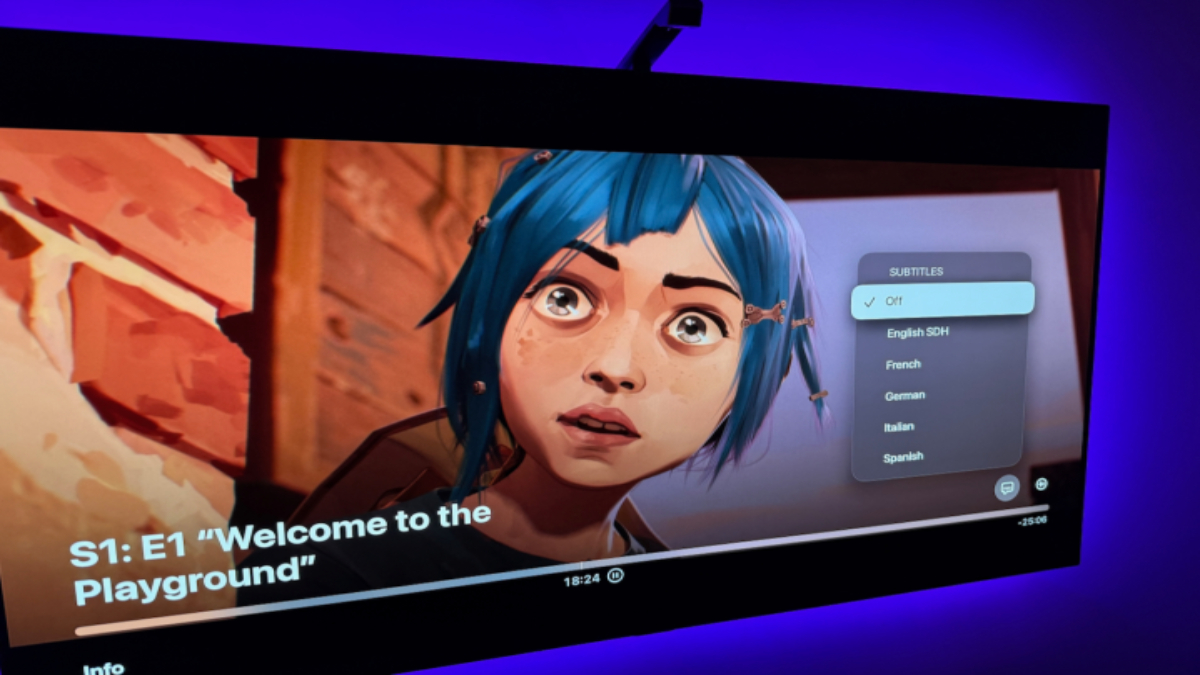
Subtitles are a convenient way to follow the dialogue in a show or movie, especially when it’s in a different language or when the audio is too low to hear. However, if you’ve finished watching and are now trying to figure out how to turn off the subtitles on Netflix, the process can vary depending on the device you’re using. Fortunately, Netflix makes it relatively easy to disable subtitles, whether you’re watching on your phone, computer, or TV.
Here’s a breakdown of how to turn off Netflix subtitles on different devices:
How to Turn Off Netflix Subtitles on Android Devices:
- Tap on the screen while your show or movie is playing.
- A Dialogue icon labeled Audio & Subtitles will appear at the bottom right. Select it.
- Choose the Off option under Subtitles.
How to Turn Off Netflix Subtitles on iPhone and iPad:
- Tap on the screen during playback.
- The Dialogue icon labeled Audio & Subtitles will appear at the bottom right. Select it.
- Choose the Off option under Subtitles.
- Tap the X icon to continue watching.
How to Turn Off Netflix Subtitles on Chromecast and Google TV:
- Tap on the screen while watching. If using Google TV, press the down button on your remote.
- A Dialogue icon will appear. Hover over it, or for Google TV, select Audio & Subtitles.
- Choose the Off option under Subtitles.
- Select OK or tap the X icon to resume playback.
How to Turn Off Netflix Subtitles on Roku:
- Select Audio & Subtitles from the description page of your show or movie.
- Choose Off under Subtitles.
- Press the back button to exit the menu, then hit Play to continue watching.
How to Turn Off Netflix Subtitles on Apple TV:
- Swipe down on your remote during playback. (For Apple TV 2 and 3, hold down the Center button on the remote.)
- The audio and subtitle options will appear. Select the Off option under Subtitles.
How to Turn Off Netflix Subtitles on Mac or PC:
- Open Netflix, start a show or movie, and move your mouse.
- A Dialogue icon will appear at the bottom right. Select it.
- Choose Off under Subtitles.
How to Turn Off Netflix Subtitles on Blu-ray Players:
- While the video is playing, press the Down button on your remote.
- A Dialogue icon will appear. Highlight it and select it.
- Choose Off under Subtitles to disable them.
How to Turn Off Netflix Subtitles on Most Consoles:
- Open the in-player menu while watching.
- Select the Dialogue menu.
- Toggle the subtitles off in the Audio & Subtitles submenu.
Note: If subtitles still appear after following these steps, you may have closed captioning enabled in your console’s accessibility settings. For example, on Xbox One, you can turn off closed captioning by going to Settings > Ease of Access and toggling Closed Captioning to Off.
If you’re using other streaming services like Disney+ or Max and want to disable subtitles there, the process is similar and can usually be done from the in-player settings menu.
 Last updated