We’re fully immersed in one of the most exciting parts of the year: football season! The Lions are kicking off strong, the Vikings are looking like serious contenders, and, well, the Browns are keeping their reputation for unpredictability alive.
This 2024 season has been an absolute thrill. Not only are the games fantastic, but following scores and plays has been easier and more enjoyable than ever. After years of using ESPN somewhat begrudgingly, I’ve taken the plunge with Apple Sports—and I’m honestly delighted with the switch. If you’re using an iPhone and haven’t tried Apple Sports yet, consider this your invitation to give it a go.
Clean, Ad-Free, and Just the Essentials
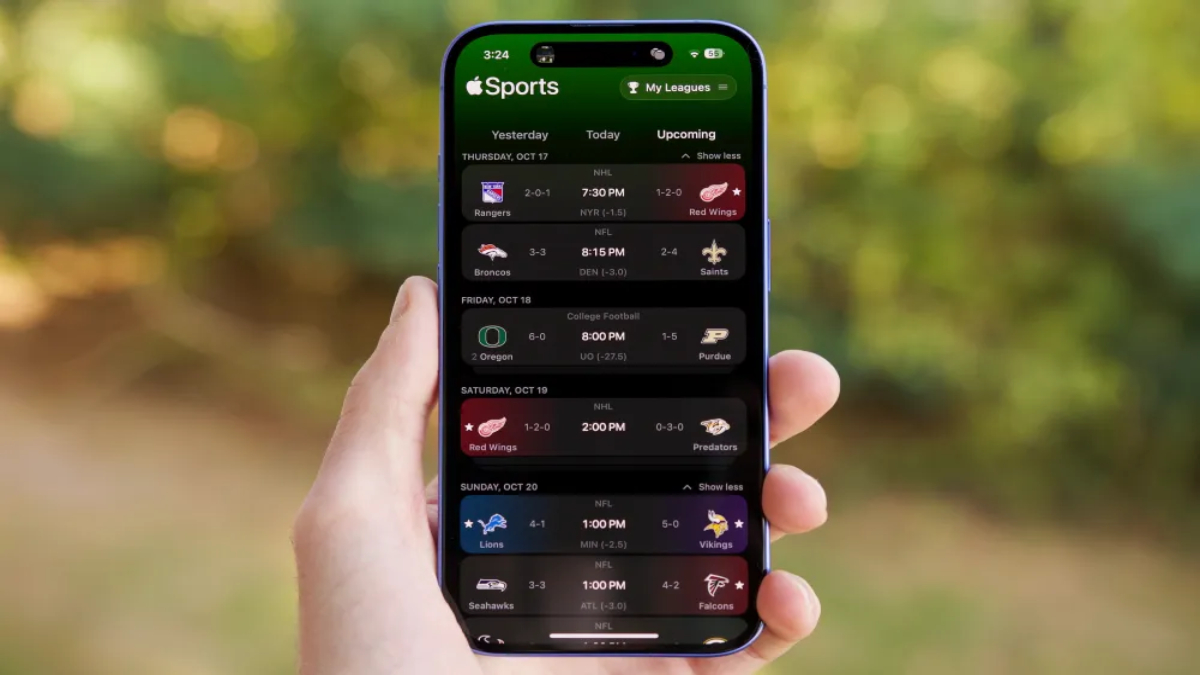
If you’re unfamiliar with Apple Sports, that’s understandable—the app launched quietly in February, with just one notable update in August. At first glance, it’s pretty minimal compared to other sports apps. You won’t find news articles, video highlights, or team rosters here, and for some, this stripped-down look might be a turn-off. But for me, this simplicity is exactly what makes it so refreshing.
On its main screen, Apple Sports gives you a straightforward list of upcoming games, and you can filter this view based on your favorite teams or leagues. This uncluttered setup may take some getting used to, but once you do, it becomes incredibly efficient.
Game Day Experience
On game days, the app shines. The “Today” page gives you a clear overview of all the action, showing current scores, ball possession, the quarter, and time left—all the essentials at a glance. Tap into a game, and you get even more detail: there’s a virtual football field displaying ball placement, a Stats page for team breakdowns, Play-By-Play for each action, and Standings to see how teams rank. It’s streamlined, no-nonsense, and best of all—completely ad-free!
Live Activities: Real-Time Updates Without the Hassle
One of the standout features of Apple Sports is the Live Activities. When your favorite team is playing, the app automatically places a Live Activity on your lock screen, giving you real-time updates without needing to open the app. It shows scores, the time remaining, and the latest plays. If you have an iPhone with Dynamic Island (like the iPhone 16), you’ll get instant score updates there too, with a quick expansion for even more details.
The Perfect Start with Room for Growth
After using Apple Sports to track scores for the past few weeks, I can confidently say I’m not going back to ESPN or any other app. Yes, there are a few things I’d love to see, like more in-depth player stats or a smoother navigation experience, and it’s disappointing that it’s not available for Android users yet. But for an app that’s under a year old, Apple Sports already feels like a winning choice. With a few more updates, it could easily become the best sports app on the market.
 Last updated